


ZONESUN
ZONESUN ZS-DC127 Inline Inkjet Coding Machine for Date & Batch Printing
ZONESUN ZS-DC127 Inline Inkjet Coding Machine for Date & Batch Printing
Couldn't load pickup availability
Inline Date and Batch Coding for Packaging Lines
The ZONESUN ZS-DC127 Inline Inkjet Coding Machine prints dates, batch numbers, text, counters, graphics and supported barcodes on compatible packaging. Its cartridge-based printhead, touchscreen controller and product sensor provide a practical coding station for bottles, jars, cartons and other packs moving along a conveyor.
With an adjustable print height of up to 12.7 mm, the printer can mark compatible flat or curved surfaces when the printhead is correctly positioned. Applications include food, beverage, cosmetics, personal care and household-product packaging. Ink selection and sample testing are essential for the intended substrate.
Key Features
- Touchscreen message editing: prepare print content directly on the controller.
- USB Type-A transfer: import supported files, including BMP images.
- Product-sensor triggering: initiate printing as packs pass the printhead.
- Adjustable mounting: position the printhead for compatible top or side marking applications.
- Ink color options: black, red, blue, green, yellow and white are listed in the product variants.
- Conveyor-based workflow: coordinate printing with product guidance, spacing and conveyor speed.
Specifications and Configuration
| Model | ZS-DC127 |
|---|---|
| Printing Method | Cartridge-based inline inkjet printing |
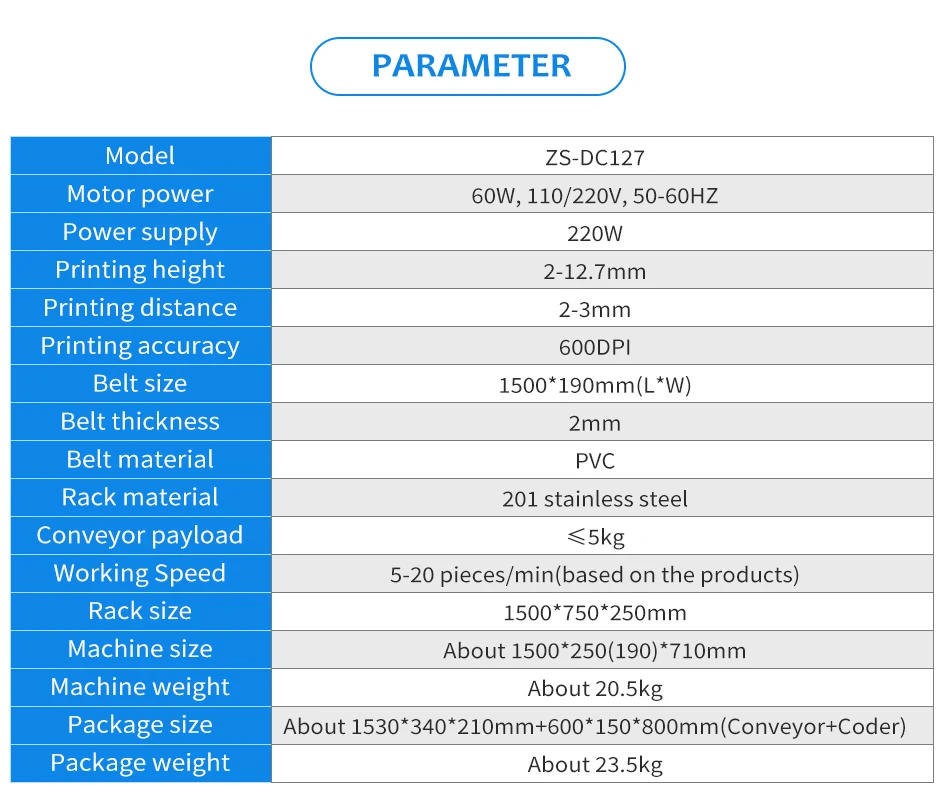
| Print Height | 2–12.7 mm, as illustrated |
| Stated Resolution | 600 dpi, as illustrated |
| Content Types | Text, date/time, counters, images and supported barcodes / QR codes |
| File Transfer | USB Type-A; BMP image support |
| Language Interface | More than 20 options shown; confirm required language |
| Voltage Options | 110 V / 220 V; select the required variant |
| Ink Color Options | Black / red / blue / green / yellow / white |
| Illustrated Conveyor Belt | 1500 × 190 mm |
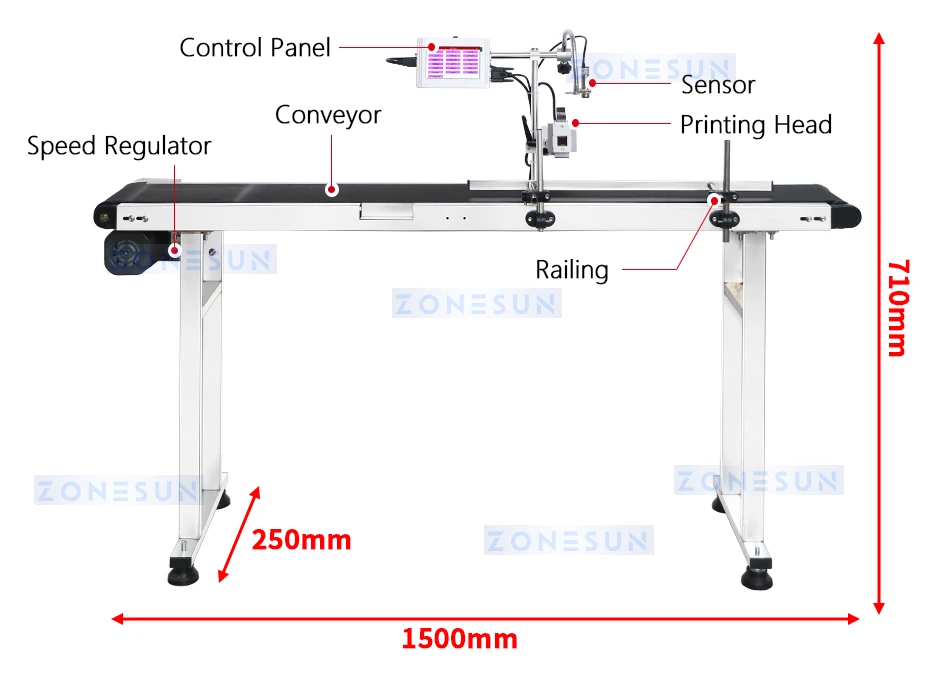
| Illustrated Conveyor Station Dimensions | Approximately 1500 × 250 × 710 mm |
| Package Contents | Confirm conveyor, sensor, mounting hardware and ink cartridge inclusion before ordering |
Select Ink for Your Packaging
Paper, plastic, film, metal and other materials need an appropriate ink formulation. Send material samples and the intended code for print testing, including drying, adhesion and rub resistance. Choose a color that contrasts with the marking surface. Confirm cartridge compatibility and replacement supply rather than assuming all cartridges are interchangeable.
Machine Details and Application Guide
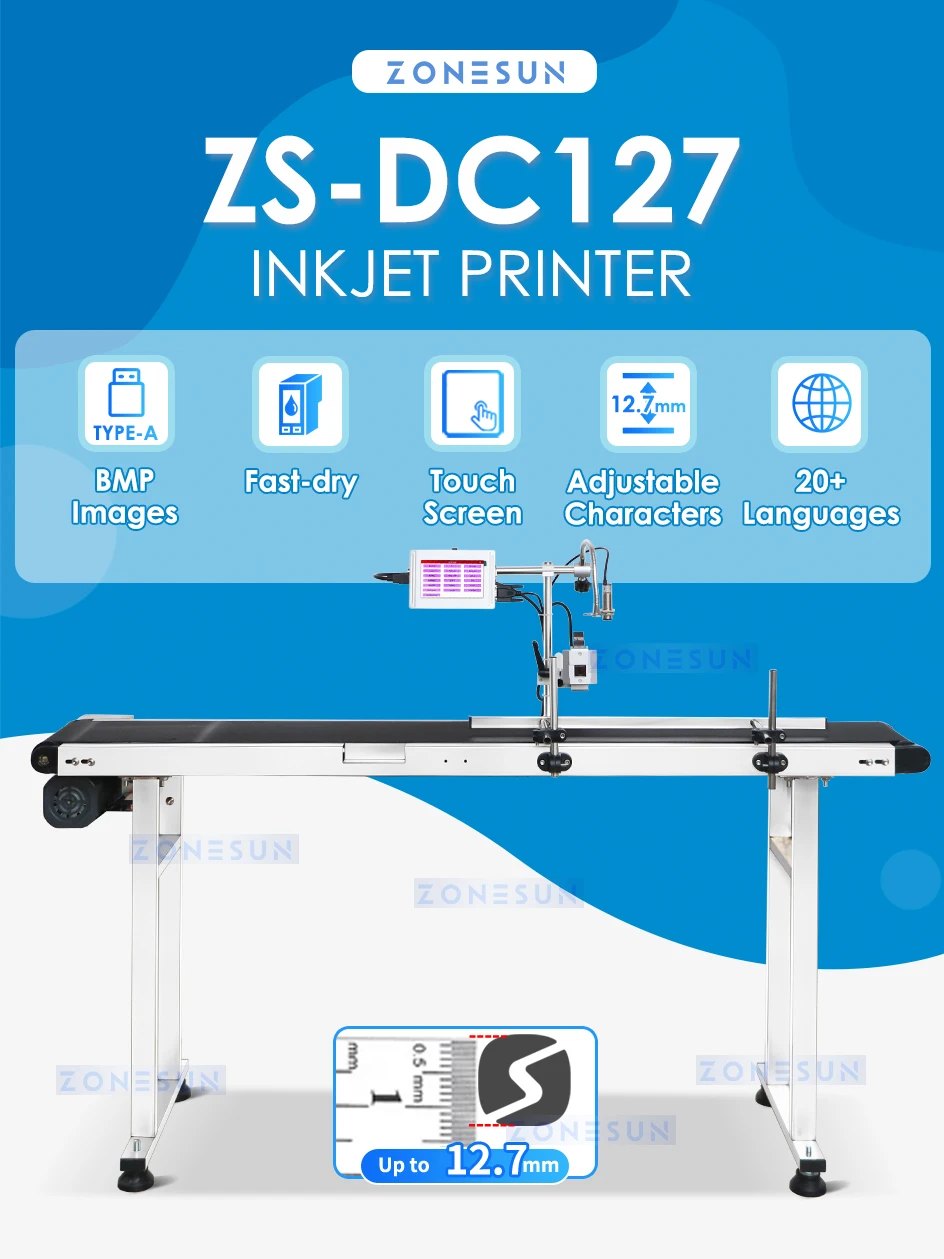
Inline Inkjet Printing
Print dates, batch numbers, text and supported graphics on compatible packaging, with a maximum printing height of 12.7 mm.

Printing Applications
The printhead can be positioned for compatible flat or curved packaging surfaces. Select suitable ink and test actual materials to confirm adhesion and print clarity.
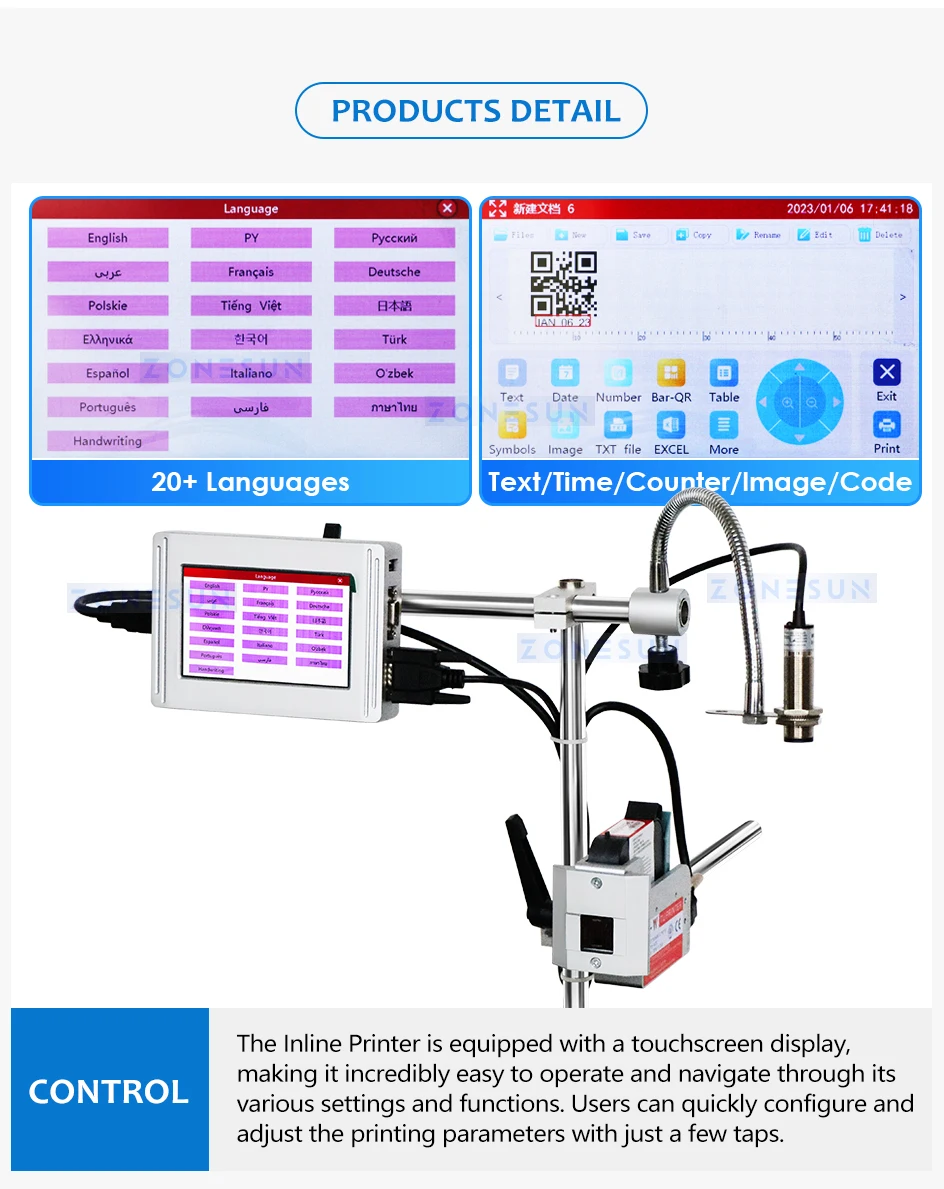
Touchscreen Controls
Edit text, dates, counters, images and supported codes directly on the touchscreen. The illustrated interface provides multiple language options.
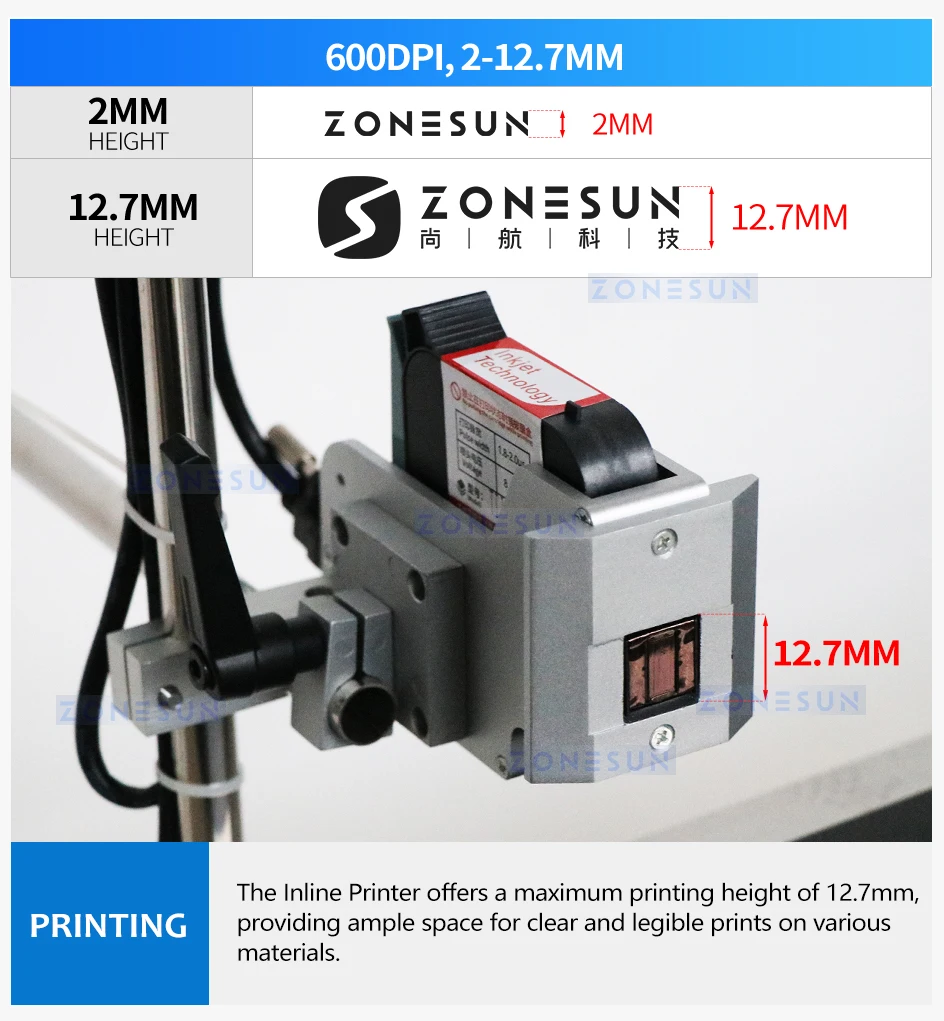
Adjustable Printing Height
Adjust character height to suit the marking area, up to 12.7 mm. Code clarity depends on the layout, material, contrast and product movement.
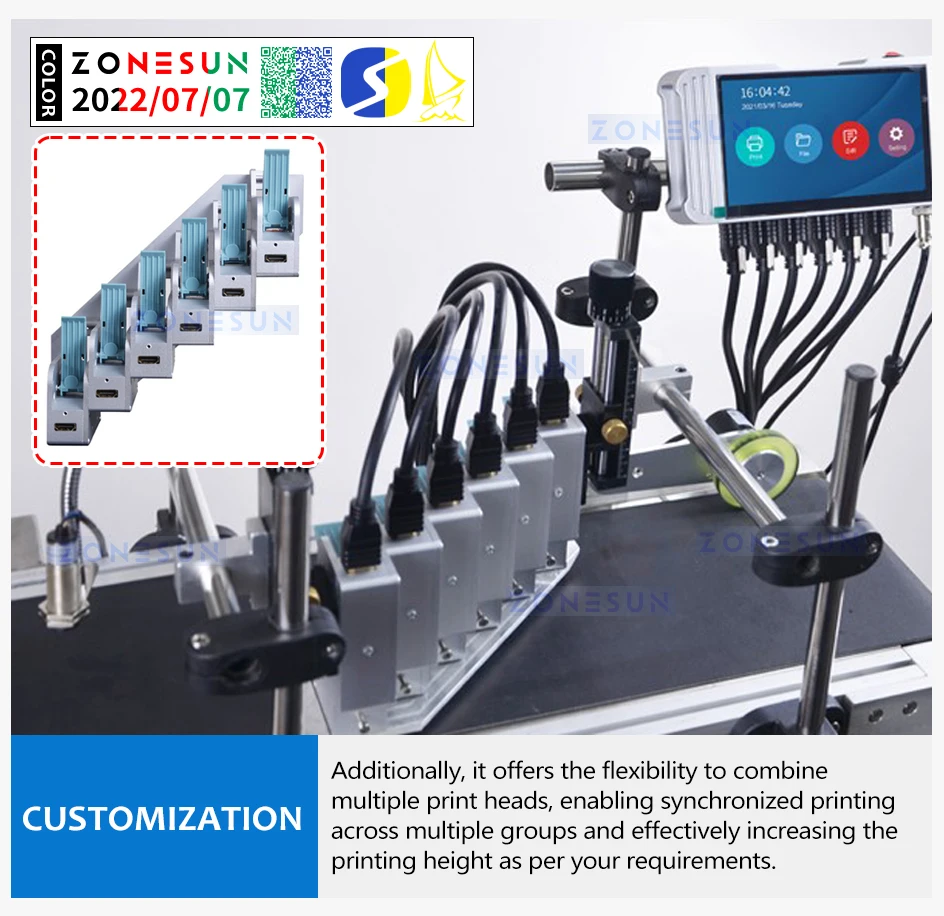
Packaging Line Integration
Position the printer alongside compatible conveyor equipment to add coding to the packaging workflow. Confirm mounting, sensor placement and product spacing for your application.
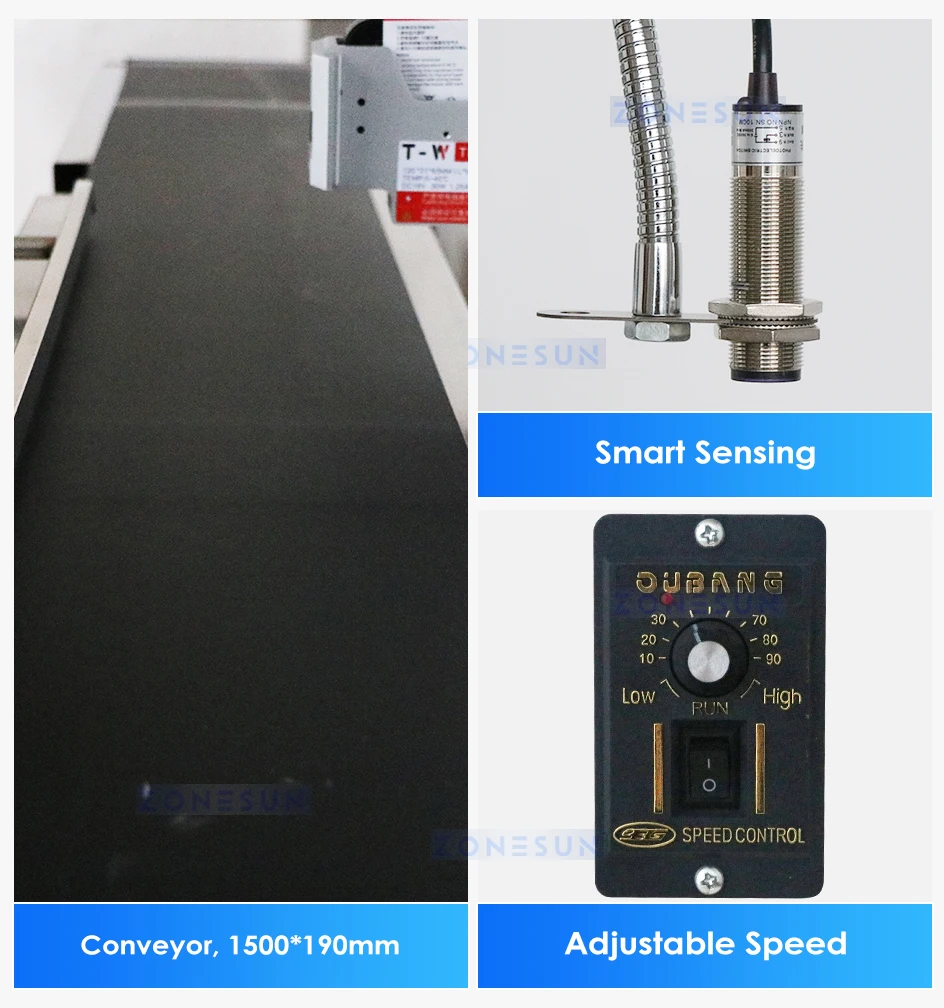
Conveyor and Product Detection
The illustrated conveyor provides adjustable speed, while the sensor detects passing products to trigger printing. Coordinate belt speed and print timing for the intended marking position.
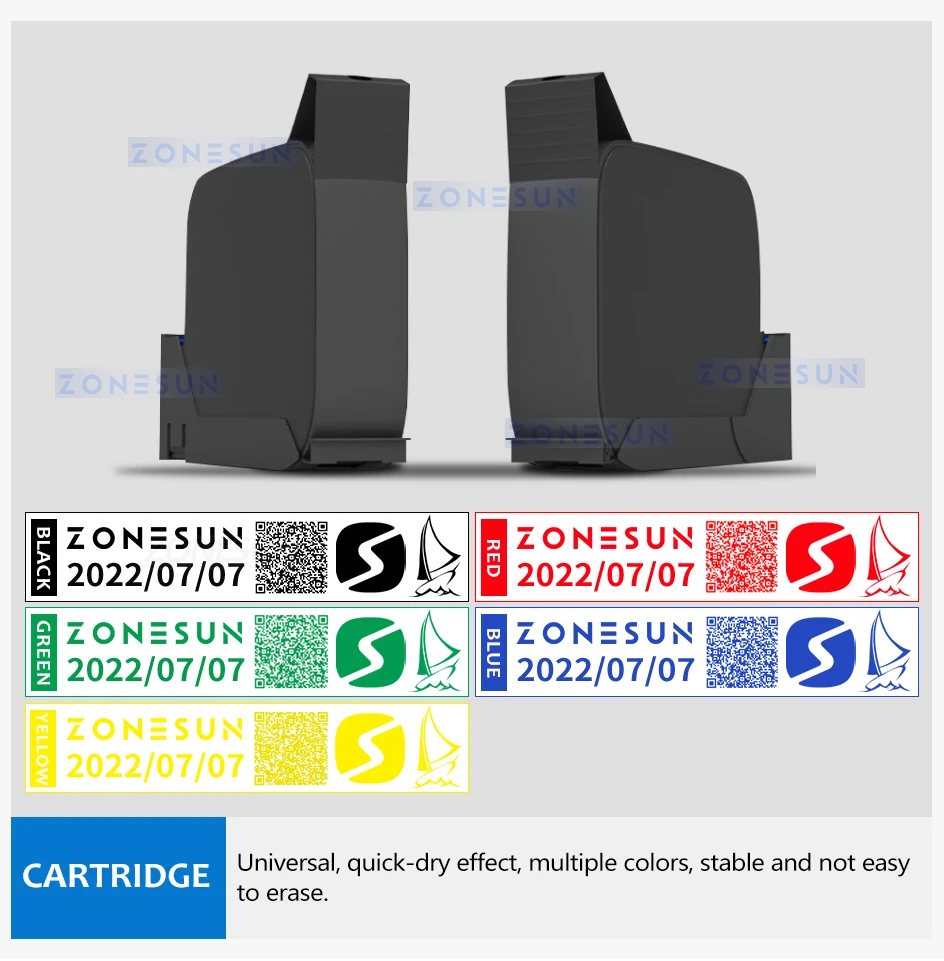
Ink Cartridge Selection
Choose a compatible cartridge and an ink formulation suited to the packaging material. Available product variants offer black, red, blue, green, yellow and white ink.
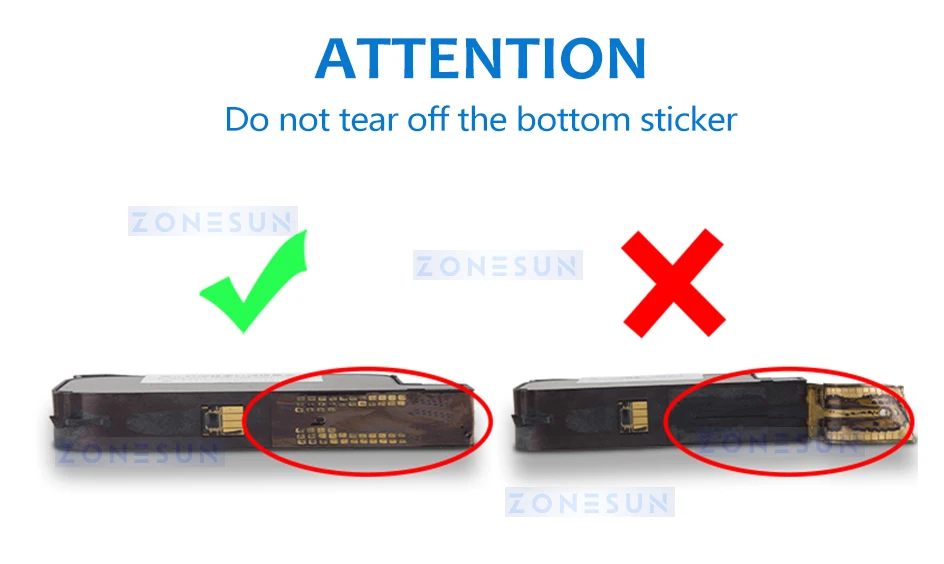
Before Ordering and Operation
Confirm the required voltage, ink color, substrate compatibility and included accessories before purchase. Follow the supplied instructions for cartridge installation, cleaning and storage.
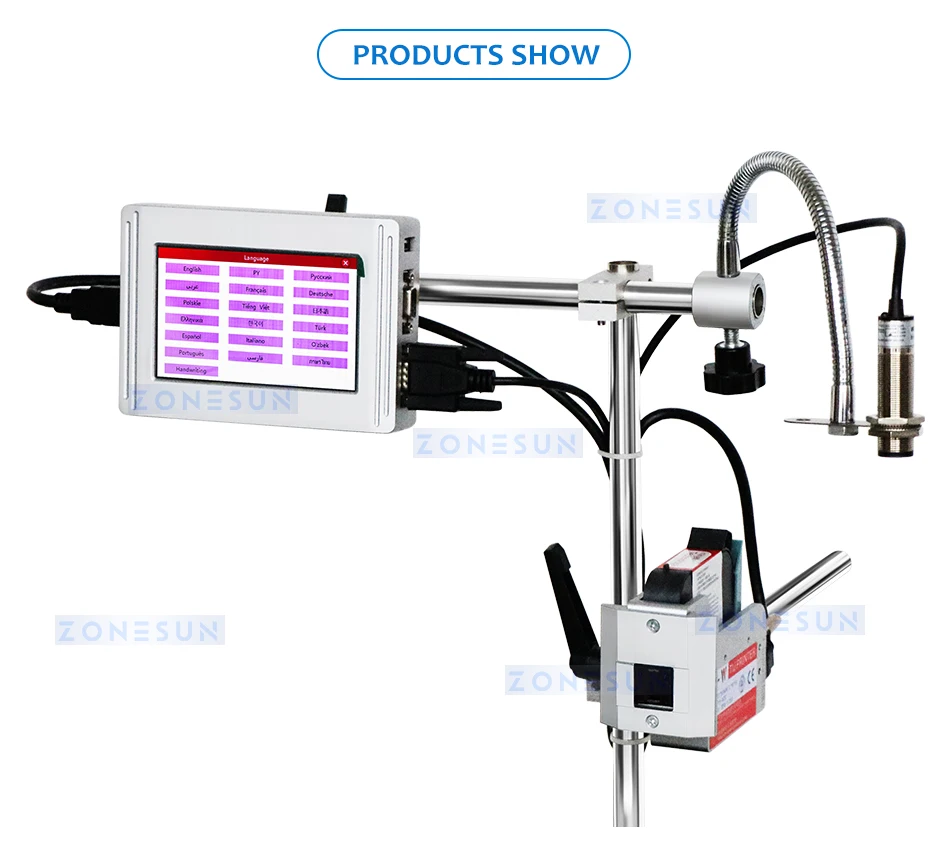
Printhead and Mounting Detail
Position the printhead close to the intended marking area and secure its mount. Maintain a consistent working distance as the product passes the printer.
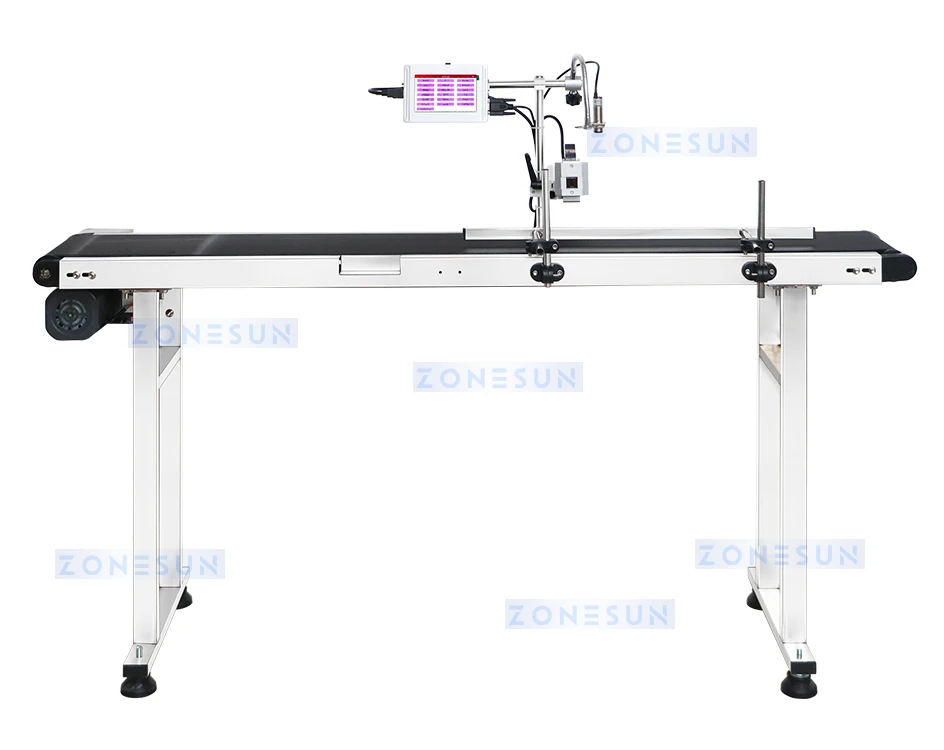
Printer Setup
Plan access to the controller, printhead and conveyor for setup and cartridge replacement. Check the proposed arrangement with your actual packaging before production.
Plan Coding for Your Packaging Line
Send packaging samples, marking position, code content and dimensions, required ink color, target line speed and available conveyor space. ZONESUN can review print testing, mounting and integration with your filling, capping and labeling workflow. Confirm the maximum operating speed for your actual print layout before purchase.


